
🔥 Top Pokies at Velvet Spins Casino














Fast, secure login at Velvet Spins Casino
Velvet Spins Casino gives Aussie punters quick access to their account, balance and saved game history. Our official website uses 256-bit SSL encryption during sign-in, so your login details travel through a protected connection. You can return to your preferred pokies, live tables and account settings without starting over. If you are new here, create your account in about two minutes before signing in.
Password case-sensitive? Yes, check Caps Lock
Your password must match the letters, numbers and symbols you used when creating it. A capital letter in the wrong place can stop access, even if every other character is correct. Check Caps Lock before submitting your details, especially on shared keyboards. This quick check gets you back to your pokies session without unnecessary password resets.
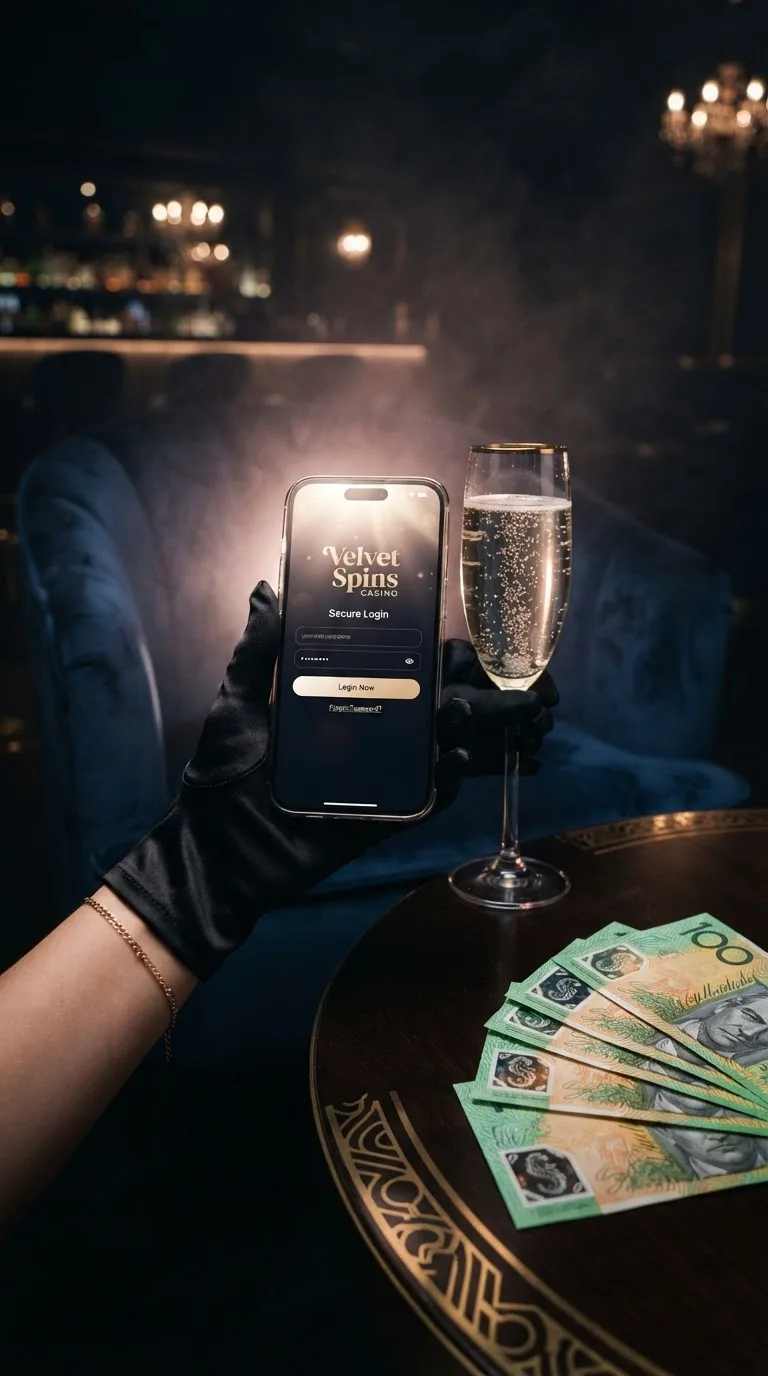
Use the normal sign-in route each time you visit, then enter your registered email address and password. A captcha may appear if our system spots unusual sign-in activity or repeated attempts. Complete the prompt exactly as shown, then submit your details once. Velvet Spins Casino uses this extra check to reduce automated attempts against player accounts.
- Open the sign-in page from our main menu.
- Enter your registered email address carefully.
- Check Caps Lock before entering your password.
- Complete the captcha if it appears.
Saved passwords can help, though an old browser entry may contain a previous password. If the field fills itself, compare it with the password you currently use. Avoid repeated guesses, as several unsuccessful attempts can trigger a temporary account check. Once signed in, your favourite pokies and recent game activity remain linked to your account.
One-time codes keep your Velvet Spins Casino account safe
A one-time code adds another check when a login needs confirmation. We may send the code after a new device, browser change or unusual sign-in pattern. Enter the newest code you receive, because an earlier code may no longer work. This helps keep your balance and pokies activity tied to the right account holder.
Our support staff are trained to handle account information with care during recovery requests. They only ask for the details needed to confirm that the account belongs to you. Keep your password private and do not share one-time codes in chat messages. Our 24/7 live chat can guide you through a sign-in problem without asking for your password.
Trusted devices can reduce repeated code requests when you use the same personal phone or computer. Remove old devices from your account settings if you no longer use them. Public computers are not suitable for saved sign-ins, even if the browser offers to remember details. Sign out after every session on a shared device.
| Input type | Field prediction | Error correction | Best sign-in practice |
|---|---|---|---|
| Desktop keyboard | Browser email suggestion | Check Caps Lock manually | Type passwords yourself on private computers |
| Laptop keyboard | Saved email option | Review special characters | Use a current browser version |
| Phone touchscreen | Email autofill where enabled | Check accidental spaces | Use your personal mobile device |
| Tablet touchscreen | Account email suggestion | Review keyboard layout | Rotate the screen for clearer typing |
| Password manager | Stored account entry | Confirm the current password | Use only your own password manager |
| Voice input | Not used for password fields | Type credentials manually | Keep spoken details private |
| External keyboard | Browser email suggestion | Check language settings | Disconnect unknown accessories |
| Shared computer | Disable saved account prompts | Clear sign-in fields | Sign out before leaving |
Velvet Spins Casino access guide for Australian players
Velvet Spins Casino works through current desktop and mobile browsers for Australian players using their account details. A browser issue usually comes from blocked cookies, an extension or an older version. Start with a refresh, then reopen the sign-in page in a private window if the page does not load correctly. This often restores access to your pokies history without changing your password.
Cookies remember parts of your session, so blocking them can prevent the sign-in page from completing. Browser extensions that alter adverts, scripts or privacy settings can also interrupt a login form. Turn off one extension at a time to find the cause, then reload the page. Keep your browser updated to avoid display and form-entry problems.
- Chrome: allow cookies and pause sign-in altering extensions.
- Firefox: clear site data and update the browser.
- Safari: disable content blockers for our login page.
- Edge: remove outdated saved passwords before retrying.
If browser fixes do not help, our mobile app is the most stable alternative for regular play. The app keeps account access close at hand and makes it easier to return to your selected pokies after a break. Download options and device guidance sit on our mobile app page. Our 24/7 live chat can also check whether a sign-in issue needs account recovery.
Resume your Velvet Spins Casino session on mobile instantly
Mobile sign-in keeps your account close whether you are at home or travelling around Australia. When your phone moves from Wi-Fi to mobile data, the session is designed to continue without sending you back to the first screen. If the connection drops briefly, reopen the app and sign in again with your usual details. Your recent pokies choices and account settings stay connected to the same account.
Velvet Spins Casino gives you the same account area on mobile, including transaction history, profile details and live chat access. A stable mobile connection helps pages load properly when you switch between game screens. Close unused apps if your phone is low on memory or data reception is weak. This can reduce interruptions while moving between pokies and live dealer tables.
Keep the app updated through your device's usual update settings. Newer versions handle modern phone software and screen layouts more reliably than old builds. Avoid signing in through public Wi-Fi networks that you do not recognise. Your mobile account remains the same whether you play pokies on a phone, tablet or desktop browser.
Account recovery and priority verification
Velvet Spins Casino shows clear error messages when a sign-in needs attention. A 403 message usually means the page request was blocked by browser settings, stored site data or an extension. A 500 message points to a temporary server-side issue, so wait briefly and try once more. Do not keep refreshing rapidly, as repeated requests can make the session harder to restore.
Lost access to a two-factor code does not mean you need a new account. Use a backup code if you saved one during setup, then replace it after you are signed in. If no backup code is available, start a support reset through 24/7 live chat. Our team will check account ownership before restoring sign-in access.
- 403: clear stored site data, then reopen the login page.
- 500: wait briefly, then retry one time.
- Invalid code: request one fresh code and enter it promptly.
- Forgotten password: begin recovery from the sign-in screen.
Account checks take priority over speed when recovery involves a new phone or missing code. Have your registered email address ready before opening live chat. Follow the instructions in the order given and use the same device where possible. This keeps the recovery record clear and helps you return to your pokies session sooner.
| Issue | Backup code usage | Support reset | Timeframe | Security level |
|---|---|---|---|---|
| Lost phone | Use one unused backup code | Identity check through live chat | Within 24 hours after checks | High |
| Code invalid | Try the newest backup code | Request a fresh sign-in code | Usually within minutes | High |
| New phone number | Use saved backup code | Confirm account ownership | Within 24 hours after checks | High |
| Authenticator removed | Use available backup code | Restore after identity review | Within 24 hours after checks | High |
| Repeated code failures | Stop using old codes | Ask live chat for guidance | Usually within minutes | Medium |
| Locked sign-in page | Not required | Review recent sign-in attempts | Within 24 hours after checks | High |
| Backup codes missing | Not possible | Complete account ownership check | Within 24 hours after checks | High |
| Trusted device removed | Use a current backup code | Add the device after sign-in | Usually within minutes | Medium |
Why Velvet Spins Casino is a trusted place to sign in
Velvet Spins Casino gives players a clear sign-in route, account recovery steps and real help through 24/7 live chat. Genuine account pages do not ask you to share a password in chat or enter details through unexpected pop-ups. Our normal login page keeps recovery options visible if a password or code causes trouble. These practical checks help you spot the correct route before opening your pokies account.
Be wary of copied pages that use strange web addresses, poor spelling or urgent messages requesting private details. Use your usual bookmark or type the familiar address carefully, then check that the page opens normally. A legitimate sign-in service provides clear recovery guidance instead of demanding payment to restore access. Our support team can help with account access through live chat when something looks wrong. For general information on staying safe online, the ACMA publishes guidance for Australian internet users.
Your account activity, saved preferences and game history remain in one place after a successful login. That makes it easier to recognise unfamiliar changes and report them promptly. Change your password if you think another person may have seen it. A unique password used only for this account gives your sign-in stronger protection.
Ready to resume your Velvet Spins Casino session?
Velvet Spins Casino lets you return to your account with the details you already use. Open the sign-in page, check your password carefully and complete a one-time code if requested. Your balance, account preferences and recent pokies activity will be waiting once access is restored. Use the mobile app if you prefer to continue from your phone.
New players can create an account in about two minutes before choosing how they want to play. Use accurate personal details during registration so future account checks are easier to complete, and you can always browse our sign-up page again for a refresher. Keep your login details private and use 24/7 live chat if you hit a problem. The sign-in page is ready whenever you want to pick up your session.
Our account area gives you one place to manage your details and return to the games you enjoy. A current browser or updated app helps keep each visit straightforward. Check for Caps Lock, stored passwords and old codes before requesting recovery. Those three checks solve many everyday login issues without delay.
FAQ
These answers cover the most common login, browser and mobile access questions from Velvet Spins Casino players. Start with the simple checks first, including your password, current browser and latest one-time code. If the issue continues, use our 24/7 live chat for account-specific help. Keep your registered email address ready before you begin.
Login messages often point to one clear cause, such as blocked cookies, an outdated password or a code that has expired. Reading the full message helps you avoid repeating the same step. Do not share passwords or one-time codes while seeking support. Our team can confirm the next safe action through live chat.
Mobile and desktop access use the same account, so you do not need separate details for each device. Your selected settings and recent activity remain attached to your registered profile. Update your browser or app before attempting a recovery if the page behaves oddly. Most access checks are resolved after one careful retry.
Why does my account show a play restriction after login?
A temporary restriction can appear when your account needs an identity or security check. Follow the message shown in your account area before trying to play again. Do not create another account while the check is active. Our 24/7 live chat can explain the next step for your profile.
Why was my Velvet Spins Casino account locked after login?
An account may lock after several incorrect password attempts or unusual sign-in activity. Wait for the on-screen recovery option, then use the password reset route if needed. Avoid entering repeated guesses because this can extend the check. Live chat can help confirm the correct recovery path.
Can I log in during a system update?
Some account functions may pause briefly during planned updates. If the login page shows an update message, wait until the page becomes available again. Refreshing repeatedly will not shorten the update period. Your account details and game history remain linked to your usual profile.
How do I secure my login credentials?
Use a unique password that you do not use on other websites. Keep one-time codes private and never send them through messages. Sign out after using a shared device or public computer. Change your password promptly if you think someone else has seen it.
How do I manage trusted devices in my account settings?
Open your account settings after signing in and review the devices connected to your profile. Remove any phone, tablet or computer that you no longer use. Keep only personal devices that you recognise. A removed device may need a fresh one-time code at its next login.
How do I flush my DNS cache on Windows?
Open Command Prompt on your Windows computer and type ipconfig /flushdns. Press Enter, then close the window after the confirmation message appears. Restart your browser before opening the login page again. This can help if an old network record is sending you to an outdated page.
Can pop-up blockers interfere with the login page?
Yes, some blockers can stop verification windows or account prompts from opening. Pause the blocker for our login page, then reload the browser. Only allow prompts that appear through the normal account process. Turn the blocker back on after you have finished if you prefer.
Why does the Velvet Spins Casino app keep crashing?
Check that your phone has enough storage and that the app is updated. Close other apps, restart your device and reopen the app once. Weak reception can also interrupt loading while switching between Wi-Fi and mobile data. If the problem continues, use the browser version and contact 24/7 live chat.
Which browser security settings should I check?
Allow cookies for the login page and keep JavaScript enabled. Disable extensions that block sign-in forms or alter page content. Update your browser to its current version before trying again. A private browsing window can help identify whether stored site data is causing the issue.
What triggers an automatic security lock?
Several incorrect passwords, expired one-time codes or sign-ins from an unfamiliar device can trigger a temporary lock. The lock protects account access while the activity is checked. Use the recovery option shown on screen instead of repeatedly retrying. Our 24/7 live chat can guide you through the required account check.